Photo by Kit (formerly ConvertKit) on Unsplash


Picking an email tool used to be easy. You signed up for Mailchimp, the free plan covered your first couple of thousand fans, and you got on with writing songs. That free plan now stops at 250 contacts, and the other big names have trimmed their free tiers too, so the choice takes more thought.
This post is for independent musicians, bands and DJs who want a mailing list and need to decide what runs it. It compares the tools on the things an artist cares about. That means the size of the free plan, the price at 1,000 and 5,000 fans, and whether the signup form embeds on your own website. It also checks whether each one can send a welcome email on its own. And it covers the case where you do not need a separate tool at all.
Judge a tool on four things: the free tier, the price at 1,000 and 5,000 subscribers, an embeddable signup form, and a welcome automation.
Kit has the largest free plan (10,000 subscribers) but no automations until you pay. MailerLite is the best-value paid plan with automation included.
Brevo charges by emails sent, not by contacts, which suits a big list that you email rarely.
Sender and EmailOctopus are the budget picks, with free plans up to 2,500 subscribers.
If your website already includes a mailing list with unlimited subscribers, start there. Add a tool only when you hit a wall.
For a list under 2,500 fans, Kit or MailerLite. Kit's free plan goes to 10,000 subscribers without automations, and MailerLite's paid plan adds automation for around $12 a month. If you already have a music website with a built-in mailing list, use that first and only add a tool when you need something it cannot do.
Email tools are built for online shops and marketing teams, so their feature lists are long and mostly beside the point. A musician sends a few emails a month to people who like their music, which narrows what is worth checking.
A free tier you can grow into. The first year of a list is slow. A free plan that stops at 250 contacts runs out before the list has done anything for you.
A price that stays reasonable at 1,000 and 5,000 subscribers. Every tool prices by list size. The jump from the entry price to the 5,000 tier is where the surprises are.
A signup form that embeds on your own website. The form should sit on your homepage and your release pages. Every tool below can hand you an embed code.
One automation: the welcome email. Someone joins for a free track, the tool sends the track. If that needs a paid plan, add it to the price. A download code in that email is the tidiest way to deliver the track.
Sending from your own domain. Mail from an address at your own domain reaches the inbox more reliably, and it looks like it came from you.
A CSV export. You will change tools at some point. Make sure the list leaves with you.
Everything else, from landing page builders to SMS credits, is an extra you will rarely open.
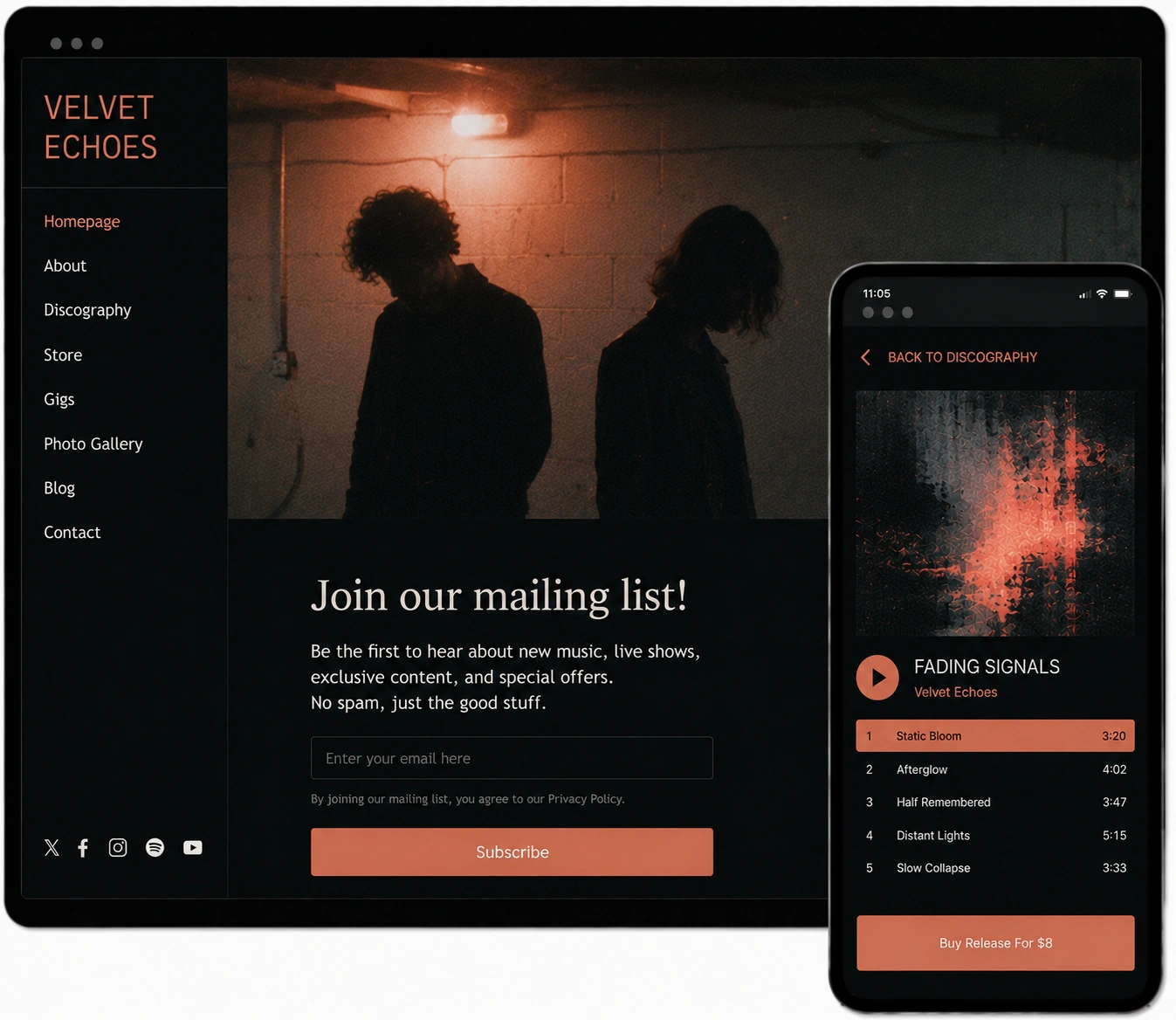
Check what your website already does before you sign up for anything. Music-focused website builders tend to include a mailing list as part of the site. The good ones do the four jobs above out of the box: a signup form on every page, a welcome email, a newsletter template, and sending from your own domain. On a Noiseyard site the list has no subscriber cap on any plan and buyers are asked to join at checkout. Each welcome email can also carry a download code for a release.
That covers the way a working musician uses email: a release announcement, a show reminder, a story now and then. There is a longer breakdown of what a built-in mailing list covers on a music website if you want to set it against the tools below.
A separate tool makes sense in three situations. You already run one and your list lives there. You want multi-step automations, like a five-email welcome series that changes depending on what someone clicks. Or you run more than one project and want each on its own account. Outside those three situations, a second tool adds a monthly bill without adding anything the built-in list does not already do.
The table is a starting point. Prices are the published rates at the time of writing and they change, so check the page before you commit. Where a tool bills by emails sent, the "paid from" figure is the smallest email bundle. The first row is the list a music website ships with, because for a lot of artists that is the real alternative to all of the others.
| Tool | Free plan | Paid from | Best for |
|---|---|---|---|
| Built-in list on a music website (Noiseyard) | Included with the website, no subscriber cap, welcome mail and download codes | Part of the website subscription | One subscription for site, store and list |
| Kit | 10,000 subscribers, no automations | $33 a month at 1,000 subscribers | Growing lists, creator profile, paid extras later |
| MailerLite | 250 subscribers, 2,500 emails a month, 3 automations | $12 a month | Best all-rounder for the money |
| Brevo | 300 emails a day, unlimited contacts, no automation | $9 a month for 5,000 emails | Big lists that get emailed rarely |
| Sender | 2,500 subscribers, 15,000 emails a month, automation included | About $6 a month at 1,000 subscribers | Cheapest full-featured option |
| EmailOctopus | 2,500 subscribers, 10,000 emails a month, no automations | $9 a month billed yearly | Simple sending on a budget |
| AWeber | 14-day trial, plus a limited free plan described in its help docs | $15 a month at 500 subscribers, billed yearly | Straightforward plans, older editor |
| GetResponse | No free plan, 14-day trial | EUR 16 a month at 1,000 contacts | Artists who also sell courses or run webinars |
| Mailchimp | 250 contacts, 500 emails a month | $13 a month | People who already know it and have a small list |
Kit, which used to be ConvertKit, is built for creators, and it says so on its own pages: writers, podcasters, artists and musicians. Subscribers are tagged by what they did, like joining for the free track or buying the vinyl, so you can email the vinyl buyers on their own. That is how a musician thinks about fans anyway.
The free plan reaches 10,000 subscribers with unlimited emails, forms and landing pages, the largest free tier on this page by a wide margin. The catch is that automations sit on the paid Creator plan, at $33 a month for 1,000 subscribers or $390 a year. So the free plan sends broadcasts, and the welcome email that delivers a free track needs the paid plan. Kit can also sell a digital download or a paid newsletter directly, which overlaps with what a music website store does.
Pick Kit if you expect the list to grow past a few thousand and you can live without a welcome automation until then.
MailerLite is the one to look at if you want automation without a big bill. The free plan now stops at 250 subscribers and 2,500 emails a month, which is small. It does include three automations, so the free-track welcome email works from day one. The paid plan starts at around $12 a month and removes the caps.
The editor is the cleanest of the group, with nothing to learn between writing the email and pressing send. It supports sending from your own domain, an embeddable form, and CSV import and export. For an artist paying for a tool, this is the strongest mix of price and features on the list.
MailerLite is the choice for an artist who wants a welcome email and a release automation from the start and is happy to pay a small monthly fee for them.
Brevo, formerly Sendinblue, prices differently from everyone else. It charges by emails sent, not by how many contacts you store. The free plan lets you keep an unlimited number of contacts and send 300 emails a day. The paid Starter plan begins at $9 a month for 5,000 emails.
That model suits one kind of musician: someone with a large list who emails it a few times a year. A 4,000-person list that gets one email a month costs far more on a contact-priced tool than it does here. The trade-off is that automation is not included on the free or Starter plans, so the welcome email has to wait until you move up a tier.
Brevo fits an artist whose list is already big and who sends rarely.
These two are the budget options, and both give you a lot before you pay anything.
Sender has the most generous free plan for a small artist that still includes automation: 2,500 subscribers and 15,000 emails a month, with the welcome sequence included. Paid plans start at about $6 a month at 1,000 subscribers. The brand is less known, and the templates are plainer than Kit's or MailerLite's, but the emails go out and the price stays low.
EmailOctopus offers 2,500 subscribers and 10,000 emails a month on its free plan, without automations. The paid plan starts at $9 a month billed yearly. It sends a newsletter to a list and does not try to be a sales platform.
Either one suits an artist who sends a simple monthly email and would prefer to spend the money on the record.

Both have been around for a long time and both work, but neither is the obvious first pick for a musician in 2026.
AWeber lists paid plans from $15 a month at 500 subscribers, billed yearly, with a 14-day trial. Its help pages still describe a limited free plan for accounts that downgrade, so check what is on offer when you sign up. The Lite plan includes three automations, enough for a welcome email and a release reminder. The editor feels older than MailerLite's, and the price at 5,000 subscribers is higher than the tools above.
GetResponse has no permanent free plan, only a 14-day trial, and its Starter plan is EUR 16 a month at 1,000 contacts. It bundles landing pages, webinars and course selling, which is why it costs more. If you teach lessons or sell a course alongside your music, that bundle can be worth it. For a mailing list alone, it is more than you need.
Mailchimp is still the name people know, and it is not a bad tool. The reason artists look elsewhere is the free plan, which now caps at 250 contacts and 500 emails a month. That is a list you will outgrow in a year of playing shows. Paid plans start at $13 a month on Essentials and $20 on Standard, and both climb with the size of your list.
If you already run a small Mailchimp list and like it, there is no reason to move today. Starting from nothing, one of the tools above gives you more room before the first invoice.
Whatever you choose, the signup form belongs on your own website. Every tool on this page can give you one to embed.
In the tool, create a signup form and copy its embed code. Kit, MailerLite, Sender, AWeber, GetResponse and Mailchimp all offer an HTML embed. Brevo prefers an iframe embed, which works the same way once pasted.
On your website, choose the external mailing list option in your newsletter settings and paste the code into the form field. On a Noiseyard site this setting applies to every signup section at once.
Test it with your own address. Check that the welcome email arrives and that the free track link in it works.
Put the signup near the top of your homepage and on every release page, and use the same link at your shows. How to grow the list from there is covered in the guide to building an email list as a musician.
One detail worth doing early: set the tool to send from an address at your own domain. It takes a few DNS records, the tool's help pages walk through them, and the emails stop ending up in the promotions tab as often.
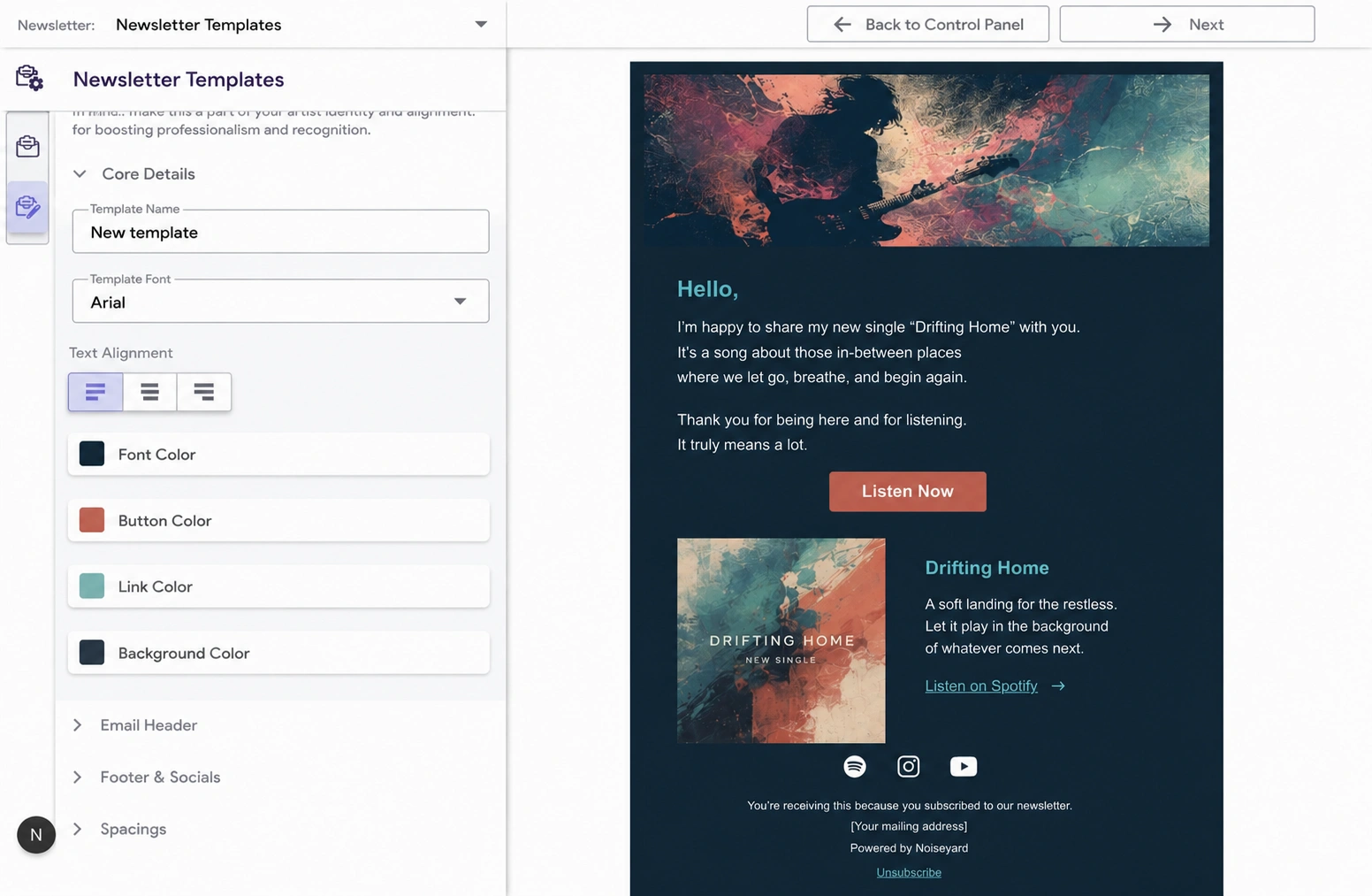
Moving a list is easier than it sounds. The free tier that suits you now may not suit you at 5,000 fans, so it is worth knowing the steps.
Export the list as a CSV from the old tool. Every tool on this page offers it.
Import it into the new tool and map the columns to name and email. Some tools, and some website builders, ask you to verify your sending domain before they let you import. Do that first.
Keep the old form live for a week or two while you swap the embed code, so nobody signs up into a dead list.
Send a short first email from the new tool so people recognise the new sender name and any bounces show up early. The worked band newsletter examples include a plain check-in you can copy for this.
What you send, and how often, does not change with the tool. A monthly rhythm is laid out in the music marketing plan. Release emails are timed in the music release checklist, and the album pre-order guide covers telling the list before anyone else.
Any of the tools on this page will send the emails. What makes a list worth having is the form on your own website, the reason people join, and the emails you send. Pick the cheapest tool that covers those three, or use the one your website came with.
Build your own musician website
Music player, store, EPK, and mailing list, all built in. Start your 30-day free trial, cancel anytime.
Choosing by the feature list. You will use a form, a welcome email and a monthly send. Price those and ignore the rest.
Hosting the signup on the tool's own page. A form on a page that belongs to the tool sends fans away from your site. Embed it on your homepage instead.
Paying for automation you never build. If the welcome email is the only automation you will set up, a free plan that includes one automation is enough.
Letting the tool own your list. Check that you can export a CSV before you import a single address.
Sending from a generic address. Set up your own domain in the tool's settings in the first week. It does more for deliverability than anything else on this page.
Running two lists. A list on your website and a list in a tool, with different people on each, means every release gets announced twice or not at all. Pick one place and point everything at it.
What is the best free email marketing tool for musicians?
Kit, for the size of the free plan: 10,000 subscribers with unlimited emails, forms and landing pages. The free plan has no automations, so a welcome email that delivers a free track needs the paid plan. If you want that automation for free, Sender includes it on a free plan that holds 2,500 subscribers.
Is Mailchimp still good for musicians?
It works, and if you already use it with a small list there is no reason to move. The free plan now stops at 250 contacts and 500 emails a month, which a gigging artist outgrows within a year, and paid plans start at $13 a month. Starting from scratch, Kit, MailerLite or Sender give you more room before the first bill.
What is the cheapest Mailchimp alternative for a band?
Sender, on price. Its free plan holds 2,500 subscribers with automation included, and paid plans start at about $6 a month at 1,000 subscribers. EmailOctopus is close behind at $9 a month. If you want a nicer editor and can pay a little more, MailerLite from $12 a month is the better long-term pick.
Do I need an email tool if my website has a mailing list?
No, for the way a working musician uses email. A built-in list collects signups on every page, sends a welcome email and a monthly newsletter, and grows without a subscriber cap. That covers a release, a show and a story. Add a separate tool only if you want multi-step automations or run several projects on separate accounts.
Can I embed a Kit or MailerLite form on my music website?
Yes. Each tool gives you an embed code for its signup form. A music website builder that supports an external mailing list lets you paste that code into its signup section so it shows on every page. Keep the form on your site, so fans stay on a page you own.
Kit gives you the most room for free and MailerLite gives you automation for the least money. Brevo suits a big list that sends rarely, and Sender and EmailOctopus keep the cost near zero. Whichever you choose, put the form on a page you own and give people a reason to join, because those two things decide whether the list grows.
If your website already includes a mailing list, start there, and add one of these only when you find something it cannot do. The tool takes an afternoon to set up. The emails you send after that are the part that takes practice, and the band newsletter examples are a good place to see what a finished one looks like.
Get our new guides by email.
Practical advice on promoting your music, getting gigs and selling online. You can unsubscribe at any time.